

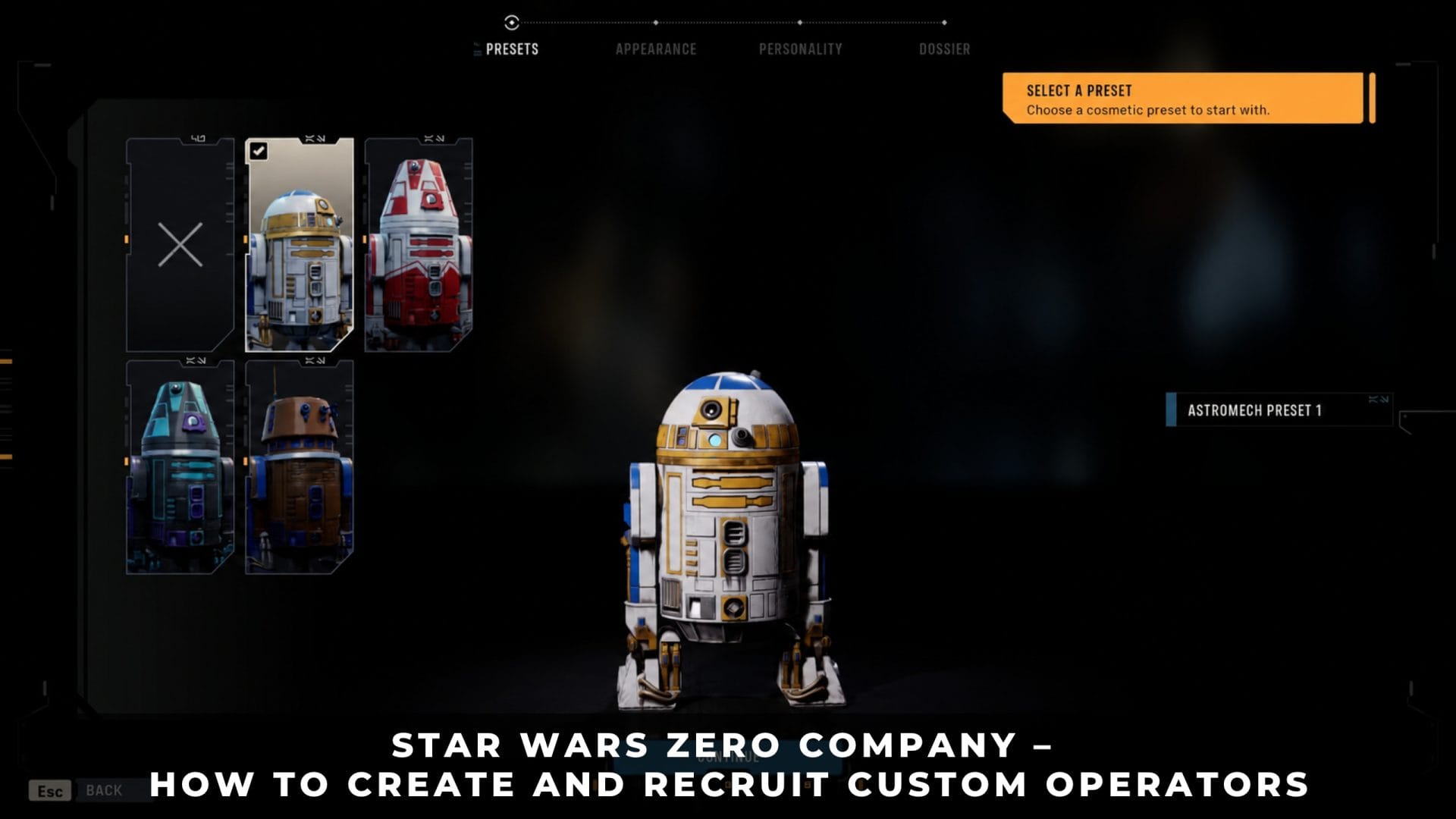
Star Wars Zero Company lets you design squad members from scratch, store them permanently, and hire them into any campaign you start.
The system is split between two separate screens: the Character Database on the main menu, where you build an operator, and the recruitment terminal at the Den, where you pay to hire one.
1. Custom Operators in Star Wars Zero Company
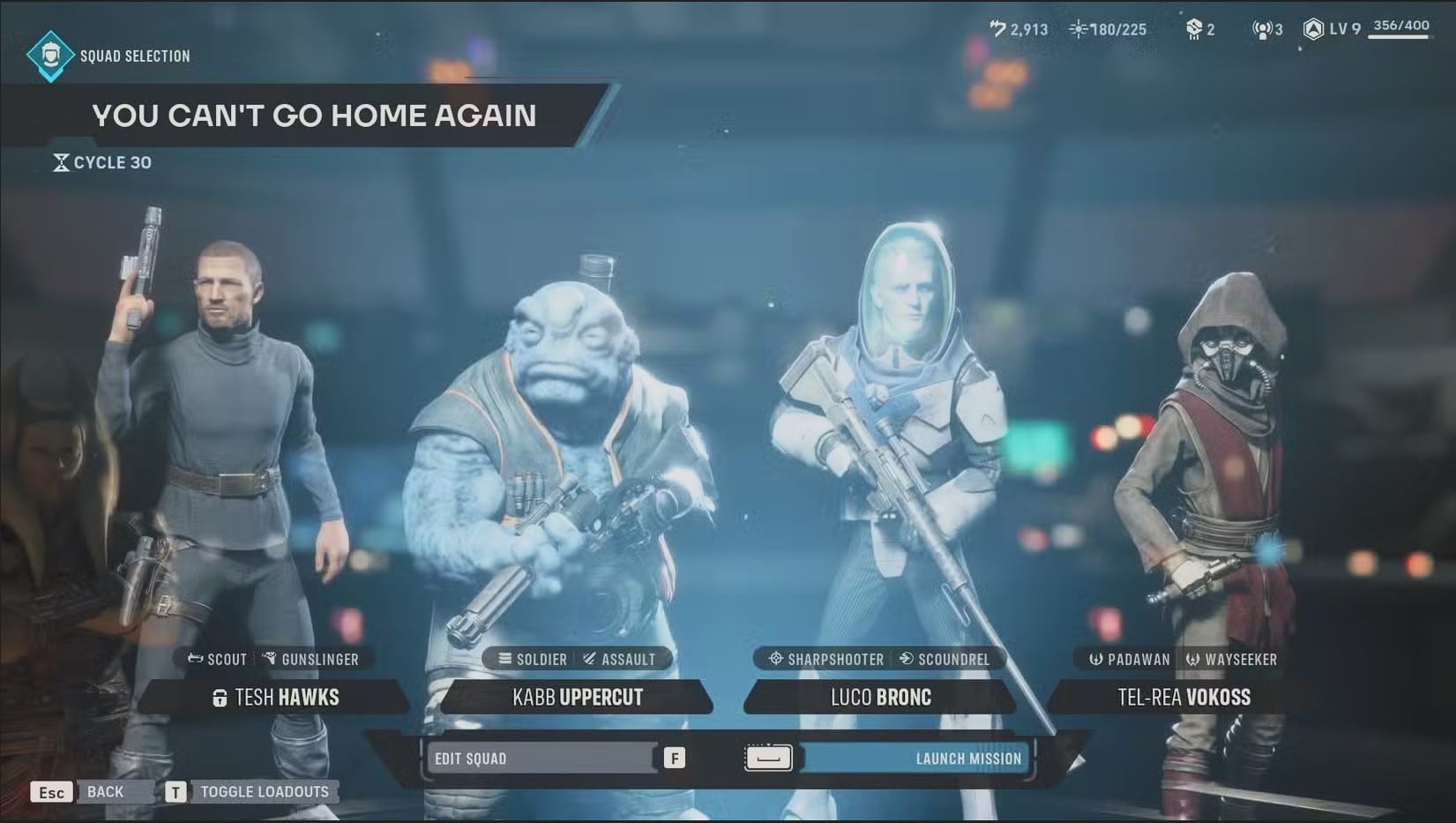
Team Composition
An Operator is any character you can deploy on a Tactical Mission or assign to an Operation. The roster splits into Authored Operators, the named story cast who join as the campaign progresses, and Custom Operators, the recruits you design yourself and hire with Credits.
Knowing the hard limits before you start designing saves Credits and roster space later, because every hire competes for the same capacity and the same four field slots.
- Squad size: 4 Operators per Tactical Mission.
- Roster capacity: starts at 7, caps at 20.
- Hawks: required on every story mission, optional on skirmishes.
- Creation screen: Character Database, on the main menu.
- Hiring screen: recruitment terminal at the Den, paid in Credits.
- Species effect: none. No species carries a weapon proficiency bonus.
Authored Operators vs. Custom Operators
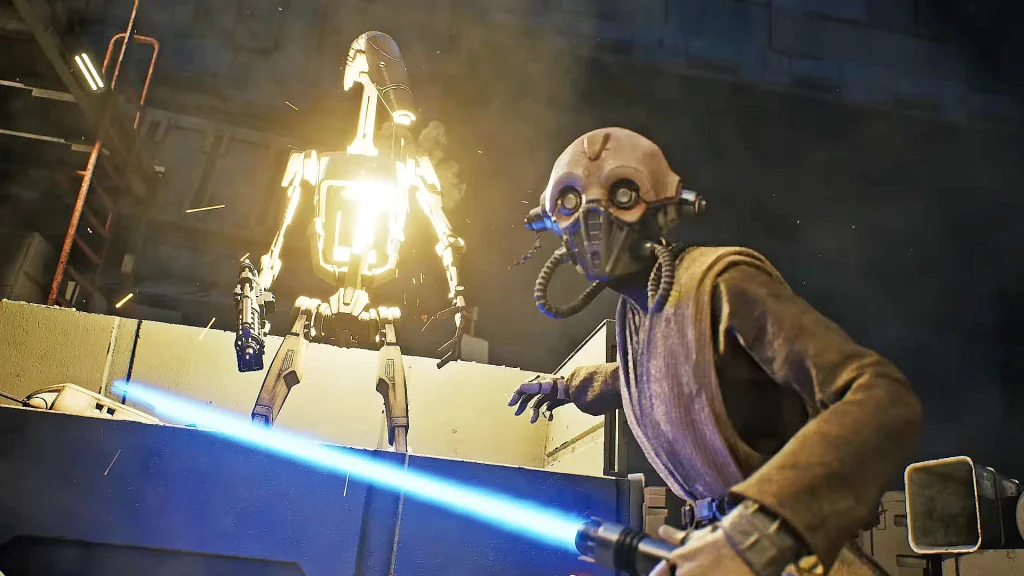
Tel-Rea Vokoss
Trick, Tel-Rea Vokoss, Cly Kullervo, Luco Bronc, Jae Mordant, and Kabb Uppercut arrive through story progression and carry fixed signature Talents that no respec removes. Tel-Rea also holds the Jedi Padawan Specialization permanently.
Custom Operators work the opposite way. They pick a Talent from the universal pool at creation, and their Specialization, weapon class, appearance, name, and backstory stay editable at the Den after hiring. For a breakdown of how the story cast ranks against each other, see our Operator tier list.
Can Custom Operators Be Jedi or Mandalorians?
Custom recruits cannot take the identities or exclusive classes attached to the authored cast. Tel-Rea Vokoss is the only Jedi Padawan in the game, and Cly Kullervo is the only Operator who can wear Mandalorian armor.
Clone armor cosmetics are a separate matter and available to every recruit, but wearing them grants no exclusive Specialization. Check the tier list above before filling every roster slot with custom recruits, because several authored talents have no custom equivalent.
One Squad Slot for Hawks
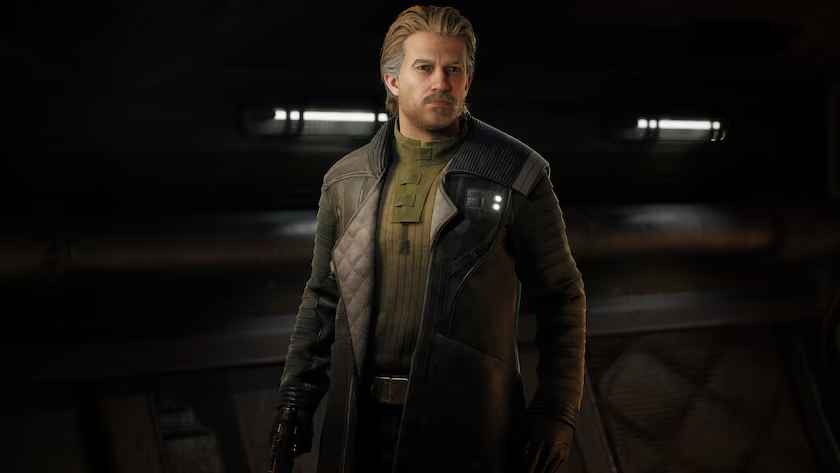
Hawks
Hawks deploys on every story mission and occupies one of the four field slots, leaving three open slots for the rest of the company. Skirmish missions lift that restriction and accept any combination of Operators.
Hawks dying in combat is an automatic mission failure and forces a mission restart, so Hawks is also the one character permadeath never removes. Build the other three slots around whatever role Hawks is not covering, which our best starting class guide walks through in detail.
2. How to Create a Custom Operator in the Character Database
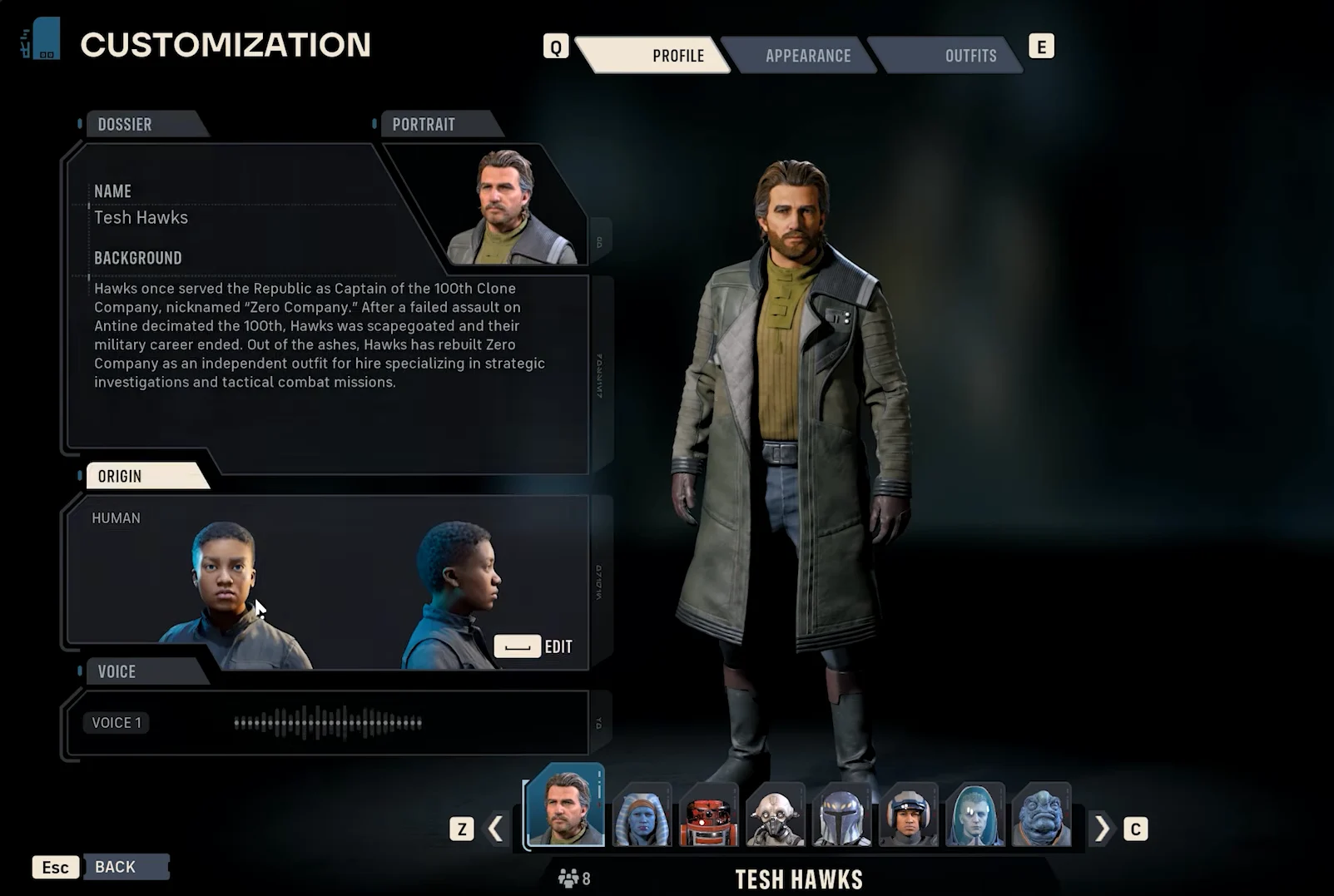
Hawks Customization
The Character Database sits on the main menu, outside any save file, so you can build operators before starting a campaign or between sessions. Characters saved there are permanent and carry across every campaign you run.
The tab you open decides what you build. Custom characters cover humans, aliens, and clones, while astromechs use a separate droid builder with its own rules.
- Open the Character Database from the main menu and select the Custom Characters tab.
- Choose a species. Each one unlocks its own facial features, markings, skin tones, and coloring options.
- Set appearance and clothing. Height, body type, scars, hair, tattoos, and outfit pieces all mix freely.
- Pick a voice. This also sets the character’s personality and how they speak during missions and at the Den.
- Assign the combat setup: a Specialization, a Talent, and a weapon class.
- Name the operator and write a backstory, then save. They are added to a list with your other creations.
- Mark them active by clicking the circle next to their name. Inactive entries never enter a recruitment pool.
All Custom Operator Species
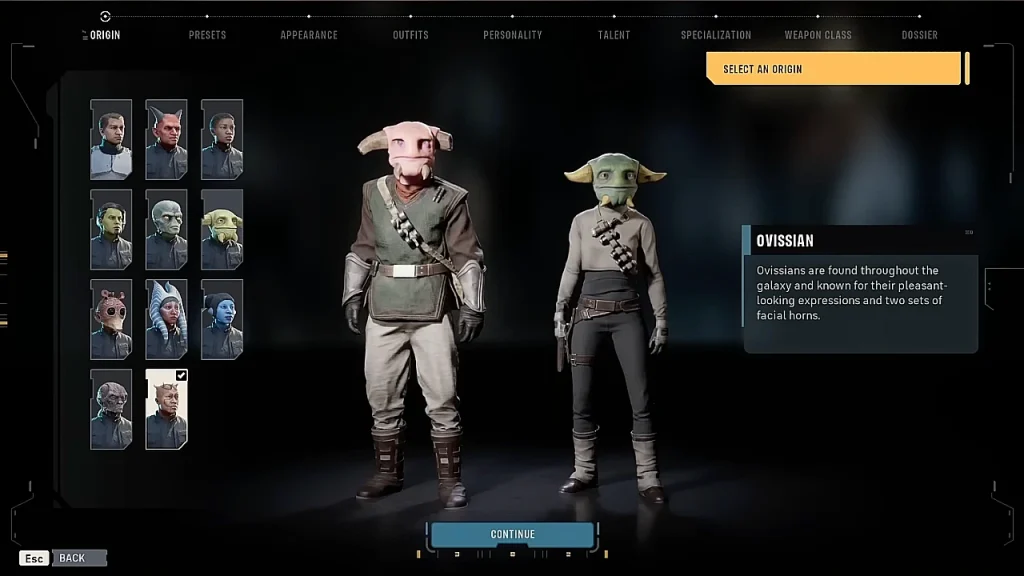
Ovissian
The humanoid builder offers 11 recruit types. Hawks is restricted to the first six entries below, while custom recruits use the full list. Astromechs sit outside it entirely as a separate category rather than a twelfth species.
- Devaronian
- Human
- Mirialan
- Togruta
- Twi’lek
- Zabrak
- Neimoidian
- Ovissian
- Rodian
- Weequay
- Clone: story unlock required before recruitment.
Species is a cosmetic decision. No species or faction weapon proficiencies apply, so no origin feels mandatory, and species stays changeable at the Customization facility in the Den after an Operator joins.
Voice, Personality, and Backstory
The voice option controls more than sound. It sets the personality that drives how the character talks during missions, at the Den, and in banter with the rest of the squad, so two operators with identical combat setups read as different people.
Names and backstories are written entirely by you. Zero Company has no XCOM-style nickname pool, and nothing about a recruit’s identity is generated once you build them yourself.
Specialization, Talent, and Weapon Class
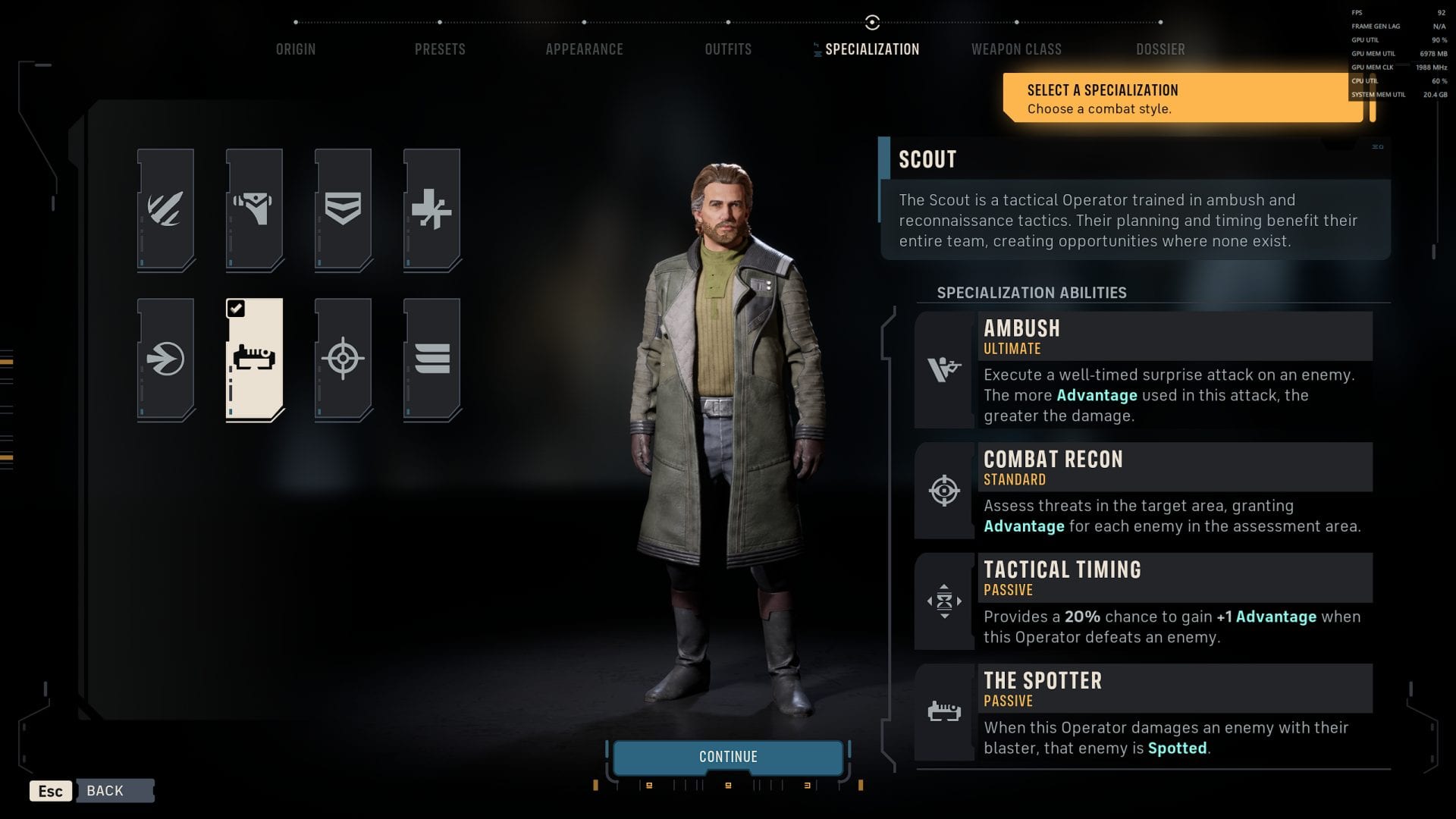
Scout Specialization
These three choices are fully independent. Any weapon pairs with any class, and any universal Talent pairs with any combination of the two, which is where a custom recruit’s combat identity comes from.
- Specializations: Assault, Gunslinger, Heavy, Medic, Scout, Scoundrel, Sharpshooter, and Soldier.
- Weapon classes: Blaster Pistol, Blaster Rifle, Repeater, and Longarm Blaster.
- Talents: ten universal options, including A Life of Labor, Anticipation, Grit, Cold-Blooded, Taunt, Sabotage, Thievery, and Espionage.
- Locked options: Jedi Padawan, Mandalorian Warrior, and Built-In Comlink never appear for a standard custom recruit.
None of it is permanent. Specializations and Talents on hired Operators can be reassigned at the Den, and weapons can be swapped freely at the Armory.
Our best Talents and Focus Tree guide covers which Talent suits each role, and the best weapons tier list pairs each Specialization with a primary.
3. How to Recruit Custom Operators at the Den
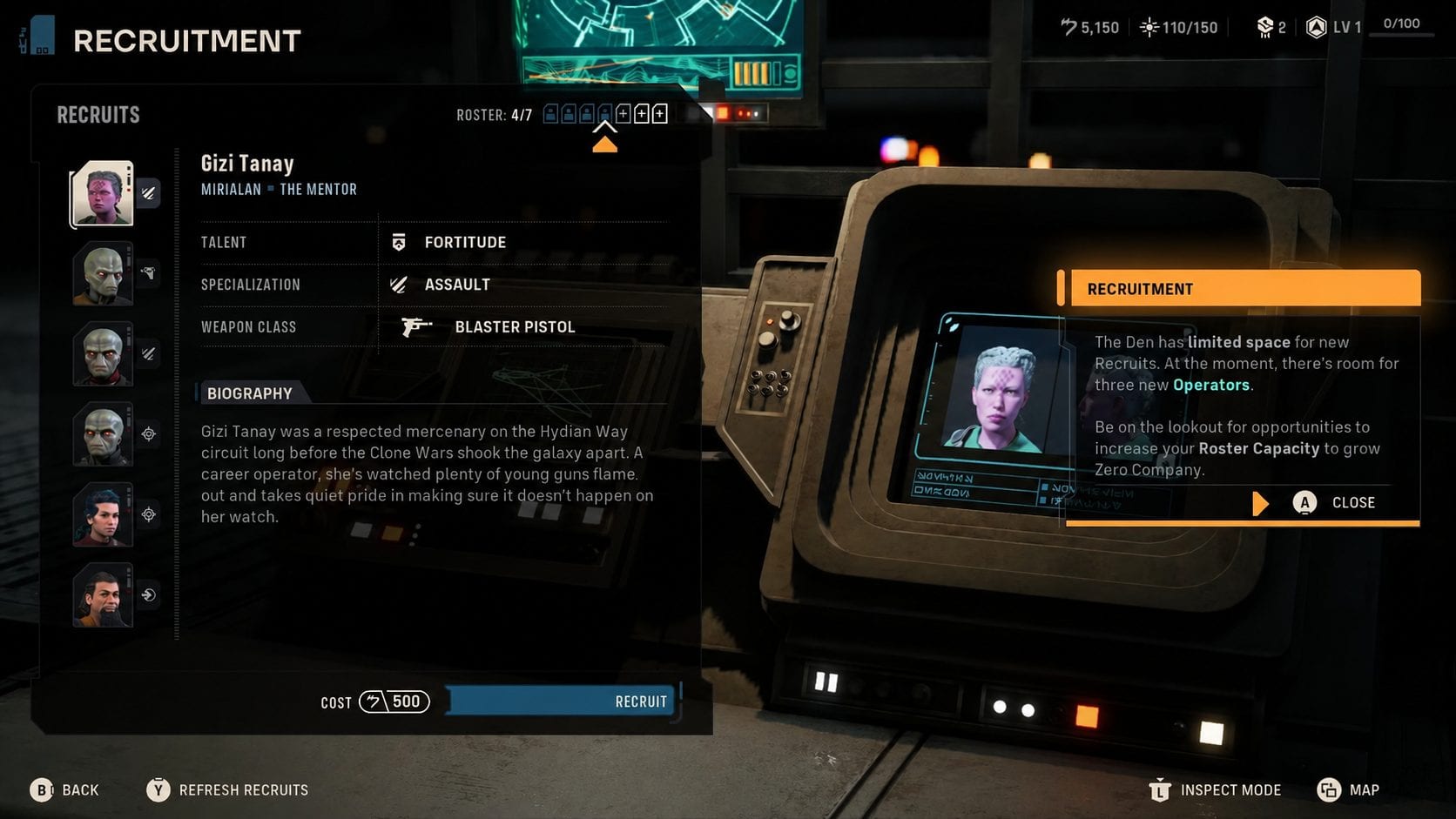
Recruiting Operators
Custom Operators are hired at the recruitment terminal behind the holotable in the Den, using Credits. Recruitment itself unlocks once you clear the Hutt debt early in the campaign, and until then the terminal offers nothing regardless of what sits in your database.
The pool refreshes every Cycle, and a Cycle advances when you complete a Tactical Mission. You can also refresh it manually at the terminal without waiting.
- Load your campaign and walk to the Den’s central holotable area.
- Approach the recruitment terminal directly behind the holotable to open the hiring list.
- Browse the current pool. Active custom creations appear mixed in with the game’s generated recruits.
- Refresh the list if nothing fits. Several refreshes are normal before a specific saved character surfaces.
- Confirm the hire with Credits. The Operator moves out of the pool and onto your company roster.
Roster Capacity and Crew Quarters
Your current cap sits at the top of the recruitment screen. Raise it by upgrading the crew quarters at the terminal to the left of recruitment, and note that Authored Operators also occupy roster seats as they join.
To clear space immediately, fire an Operator from the terminal to the right of recruitment. A permadeath loss also frees the slot, which is one reason a deep bench matters on greater difficulties.
Recruitment Costs and Starting Focus Points
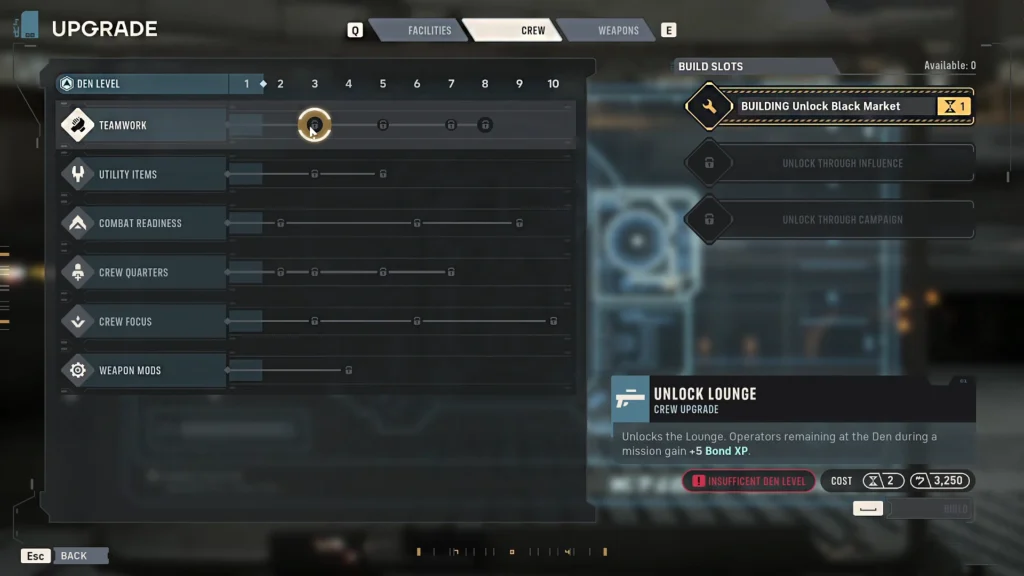
Crew Upgrades
Hiring cost rises with every Operator you buy, so a late-campaign recruit is far more expensive than an early one. Budget against Den upgrades and Armory spending rather than filling every open slot on sight.
New recruits arrive with Focus Points already banked, which keeps them close to the rest of the squad in raw power. Their Bonds start from scratch, so the real cost of a late hire is relationship progress rather than stats.
Our guide to raising Bonds and spending Focus Points explains how quickly that gap closes.
How to Change a Custom Operator After Hiring
The whole build stays flexible once an Operator joins the company. Specialization changes open at Cycle 3 from the Personnel facility, and switching class refunds the Focus Points spent in the old tree, so a bad starting pick costs nothing but a visit to the Den.
Later progression adds a second Specialization on top of the first, meaning the starting class sets the opening role rather than the entire campaign build. Appearance and identity settings stay editable, and equipment swaps happen at the Armory.
The one thing hiring cannot shortcut is Cross Training. Those shared abilities come from Bond levels between specific Operators, so pairing two fresh recruits together will not reproduce the bonuses your veteran pair has already earned.
4. When Clone Operators Become Recruitable
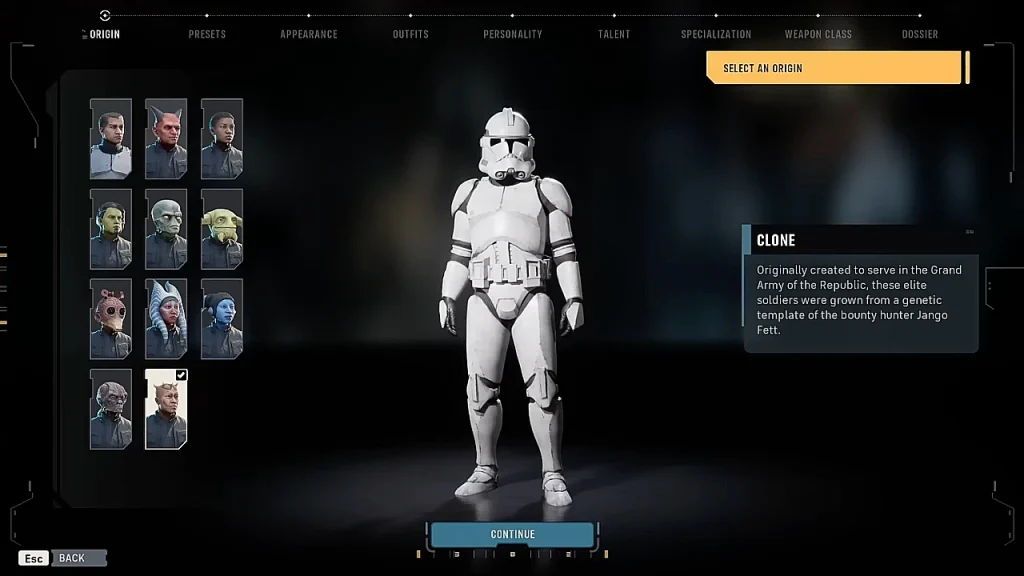
Clone
Clone Troopers unlock through story progression, and there is no way to accelerate that gate. Build clone recruits in the Character Database beforehand, mark them active, and they enter the recruitment pool once the unlock fires.
Clone armor cosmetics are separate from clone recruitment and available to every Operator from the start, including Hawks in the opening mission. Clone helmets also apply voice modulation to whoever wears them, so a Republic-themed squad is possible long before you can hire an actual clone.
5. How to Unlock Astromechs and Build Them in the Droid Bay
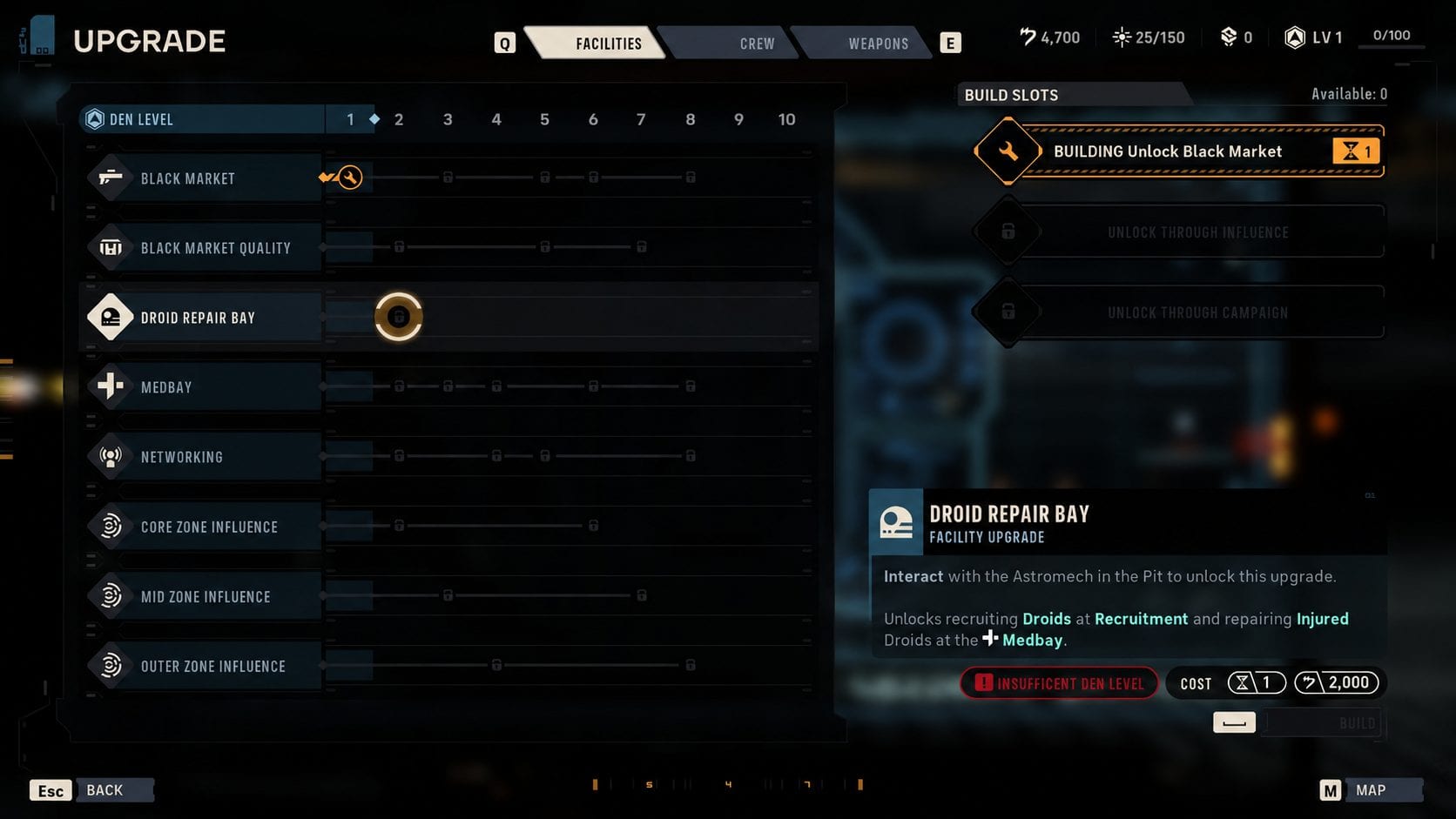
Droid Repair Bay Upgrade
Astromech recruitment unlocks by building the Droid Repair Bay at the Den, which becomes available at Den Level 2 after the Hutt debt is cleared. Construction takes one Cycle and also hands you the campaign’s first droid, so finish the chain before refreshing the terminal for a custom astromech.
The broken astromech sitting in the Pit is the trigger for the whole sequence, and several characters comment on repairing it before the objective becomes available.
- Reach Den Level 2 by progressing the campaign past the Hutt debt.
- Inspect the old astromech droid in the Pit, next to the door, when the sub-objective appears.
- Build the Droid Repair Bay at the Upgrade terminal for 2,000 Credits. Construction takes 1 Cycle.
- Complete one mission, then speak to M-3VO at the Medbay to add BR-1 to the roster as your first droid Operator.
- Build your own droids in the astromechs tab of the Character Database and mark each one as active.
- Hire them at the recruitment terminal alongside every other available Operator.
Astromech Creation Options
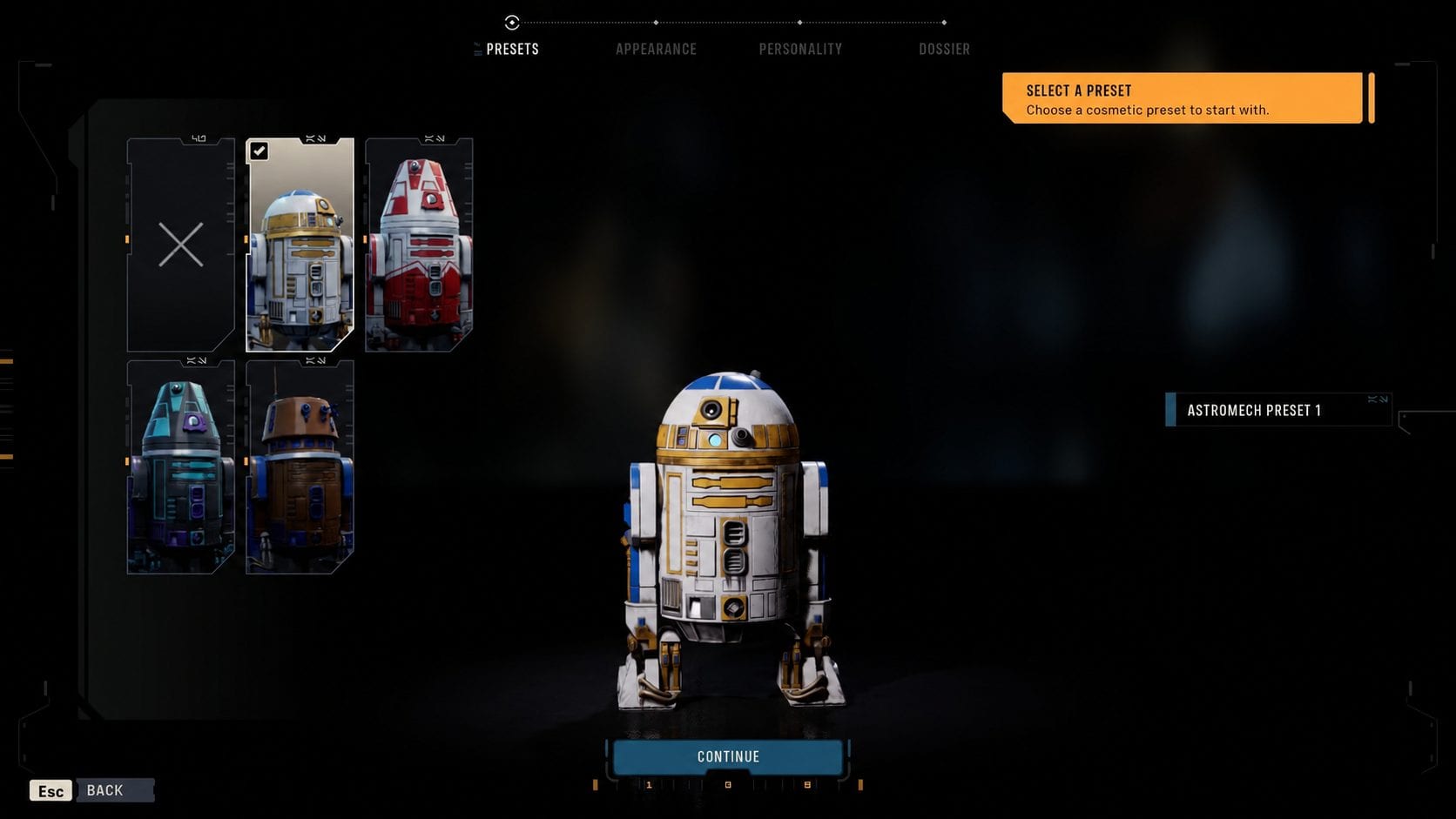
Astromech
The astromech builder replaces species and clothing with chassis, head, parts, and paint jobs, plus a personality selection that changes how the droid behaves in dialogue. Two droids on the same roster can read completely differently despite sharing a class.
Cosmetic parts change the model, not the class. Every droid you build is an Astromech, and no amount of customization turns one into a B1, a B2, a protocol droid, or a Droideka.
The Crystalline Astromech Cosmetic Pack, included with Standard and Deluxe pre-orders, adds the R3 droid, translucent crystalline heads for the R4 and R5 variants, and the BR-1 design created for Zero Company.
6. How Astromechs Play Differently From Other Operators
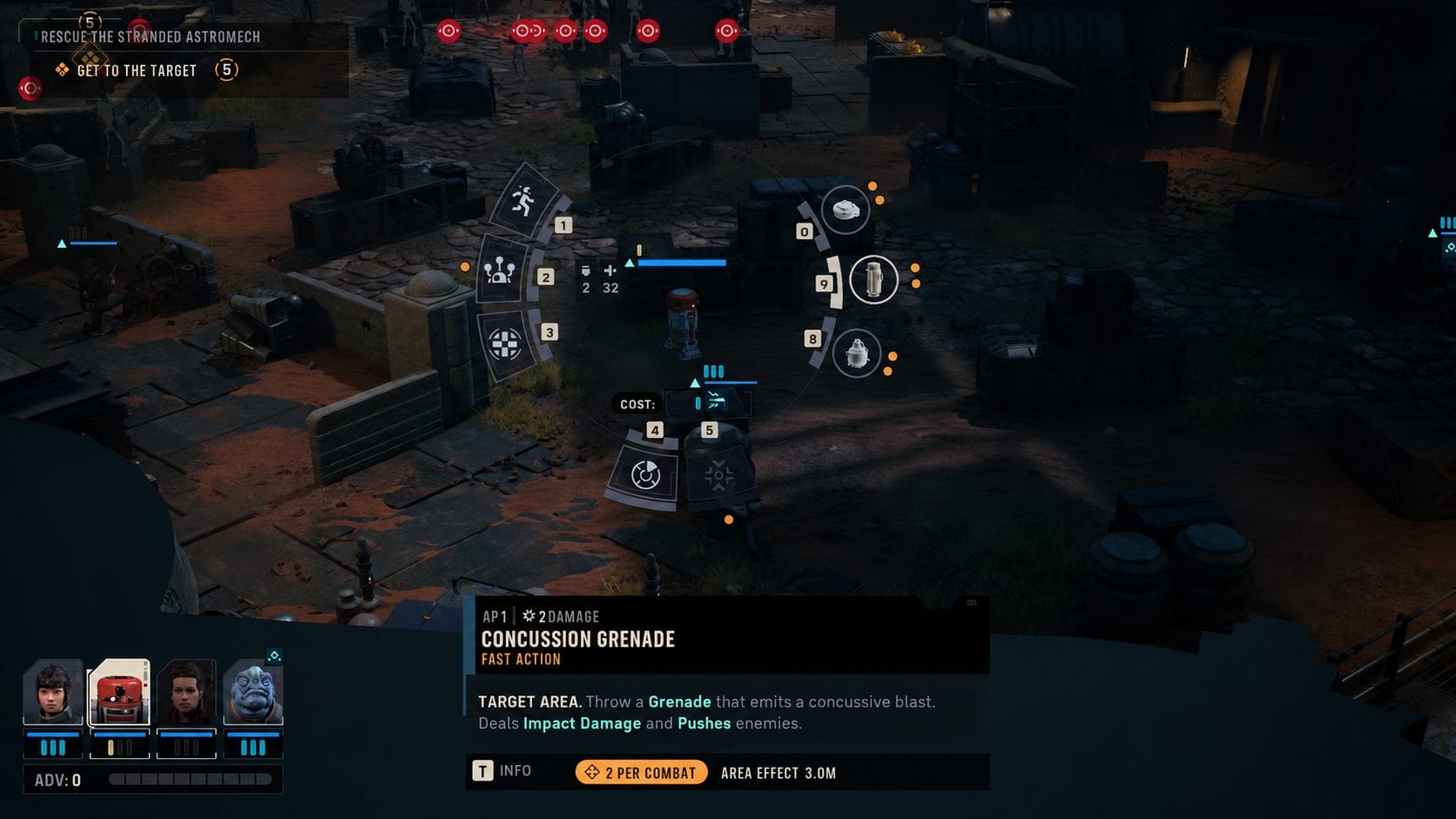
Astromech Gameplay
Astromechs are a full Operator class with their own Specialization. They also break several rules that apply to every other recruit, and building one without accounting for those differences produces a squad member that contributes little on its own.
- No primary fire: astromechs cannot equip blasters. All of their damage comes from mines and thrown explosives.
- Three utility slots: they carry three different utility items and get extra uses from each.
- Built-In Comlink: an exclusive Talent that hands an ally extra Action Points at the cost of the droid’s own.
- Support kit: they raise ally accuracy, self-heal, and jettison bacta stims to wounded squadmates.
- Vertical movement: astromechs climb and descend surfaces that other Operators need stairs or ladders to reach.
- Analytics: a second Specialization unlocked later, focused on ally accuracy and defense.
- Permadeath: droids follow the same loss rules as everyone else on the roster.
Astromechs also stay astromechs. Humanoid recruits swap between the eight standard Specializations at will, while a droid keeps its class and layers Analytics on top of it.
That kit makes an astromech a strong pairing for AP-hungry Operators. Tel-Rea burns Action Points quickly and takes damage from the front, and Built-In Comlink plus a bacta stim covers both problems in a single turn.
7. Which Custom Operator Choices Affect Gameplay
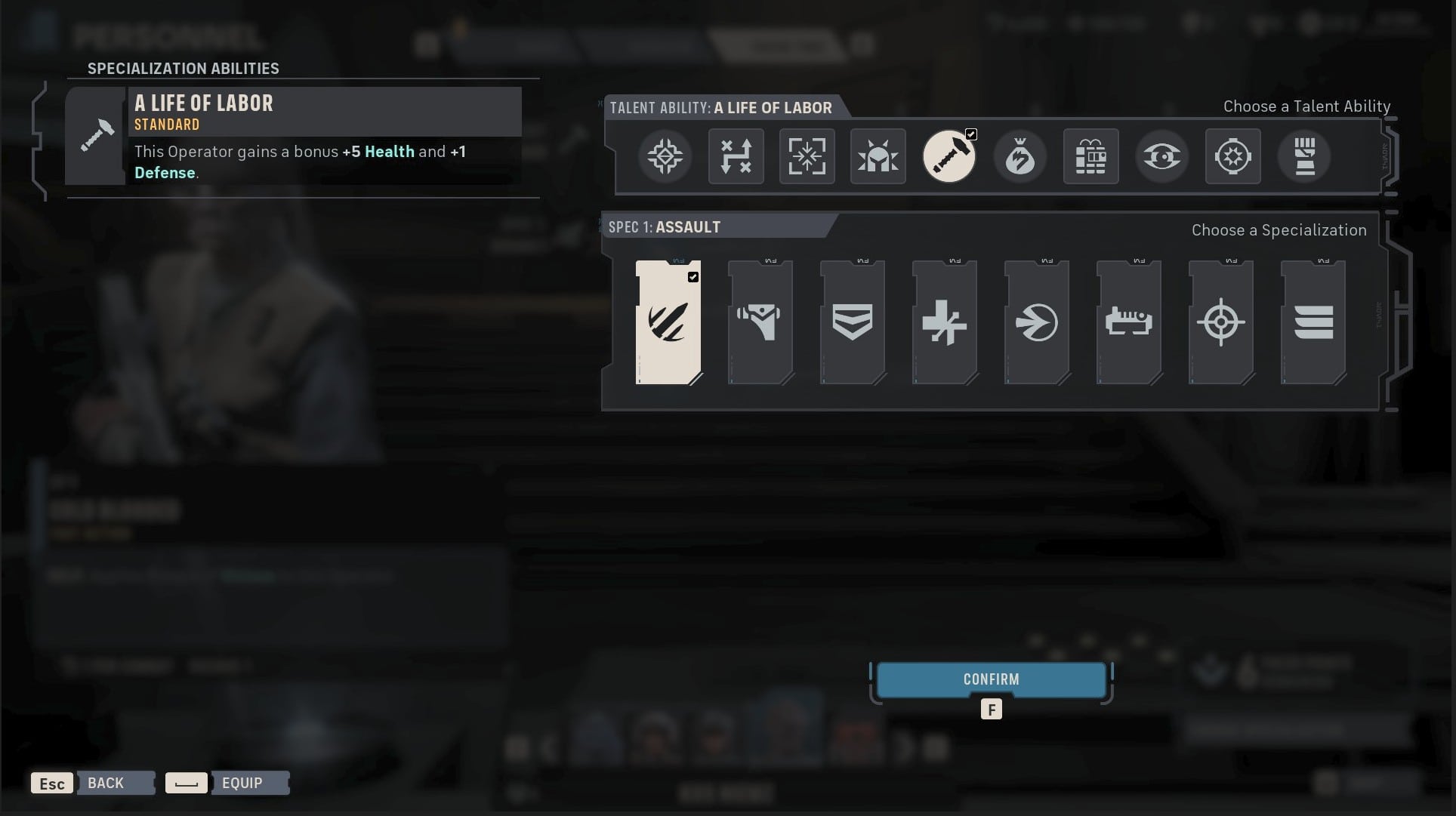
A Life of Labor Talent
Only the three build fields change combat performance. Everything else is presentation, which means you can commit to a themed squad without paying a statistical penalty for how it looks.
| Option | Effect | What It Changes |
|---|---|---|
| Species | Cosmetic | Appearance options only |
| Face, body, markings | Cosmetic | Visual identity |
| Clothing and armor | Cosmetic | Outfit, no Defense value |
| Astromech parts and paint | Cosmetic | Droid model, not its class |
| Name and backstory | Presentation | Database entry and flavor |
| Voice | Dialogue | Personality and Den banter |
| Specialization | Gameplay | Abilities, passives, battlefield role |
| Talent | Gameplay | Personal effect, four Focus ranks |
| Weapon class | Gameplay | Damage, range, crit, AP cost |
Build around the Specialization, Talent, and weapon first, then pick any species and outfit that fit the character concept. The cosmetic half of the editor costs you nothing on the battlefield.
8. Best Custom Operator Setup for a First Campaign
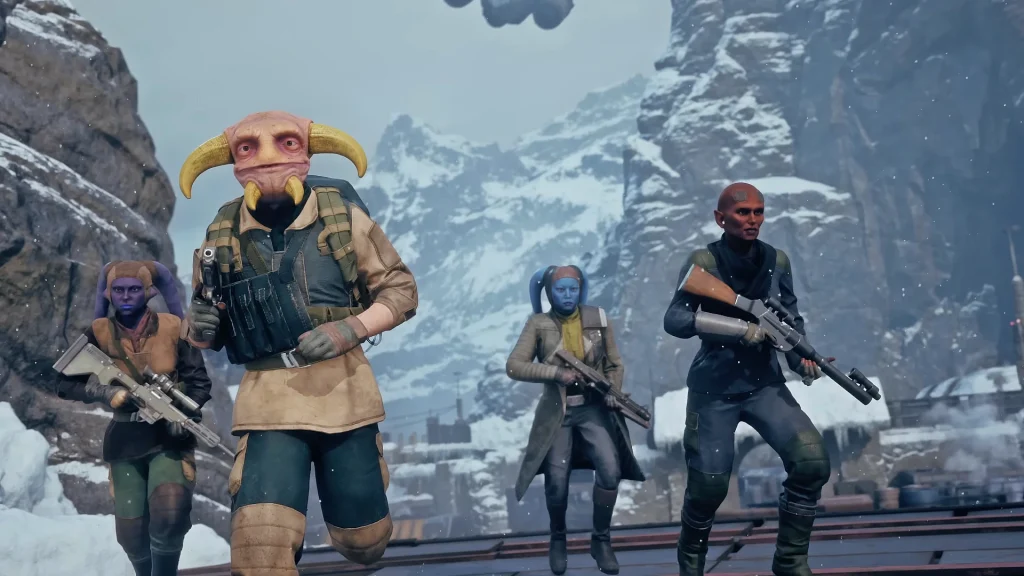
Custom Operators
Build two or three custom recruits before your first campaign rather than a full database of twenty. Roster capacity starts at seven, recruitment costs climb with every hire, and a smaller active pool raises the chance that a specific character appears when you refresh the terminal.
Cover the roles your story cast leaves thin rather than duplicating them. Trick opens as a Soldier, Kabb as a Scoundrel, and Jae as an Assault, so the two gaps that hurt most in early fights are sustained healing and a durable frontline body.
- Medic with A Life of Labor: permanent Health and Defense with no activation condition, paired with a Blaster Rifle for a cheap opening shot.
- Heavy with Grit: reactive Invulnerable stacks and bonus Health on the Operator that draws the most fire.
- Scout with Anticipation: leftover Action Points convert into Evasion, and the Talent extends to allies at its final rank.
- One astromech: built the moment the Droid Repair Bay finishes, for Action Point support on your strongest attacker.
Set every one of them active in the Character Database before loading the campaign. Anything left inactive stays in storage, no matter how well it is built.
Related posts:


 Star Wars Zero Company – How to Get Capacitors


